 Print
Print  PDF
PDF
ColourCloud needs the "intensity map" or "greyscale" image included with the E57 file. Here's a series of screen grabs showing exactly how to include this in the export.
Note: Screen captures kindly provided by Ubaldo Donatini from Universal Spatial Solutions - www.uss3d.com.au
Step 1: Set Planar View
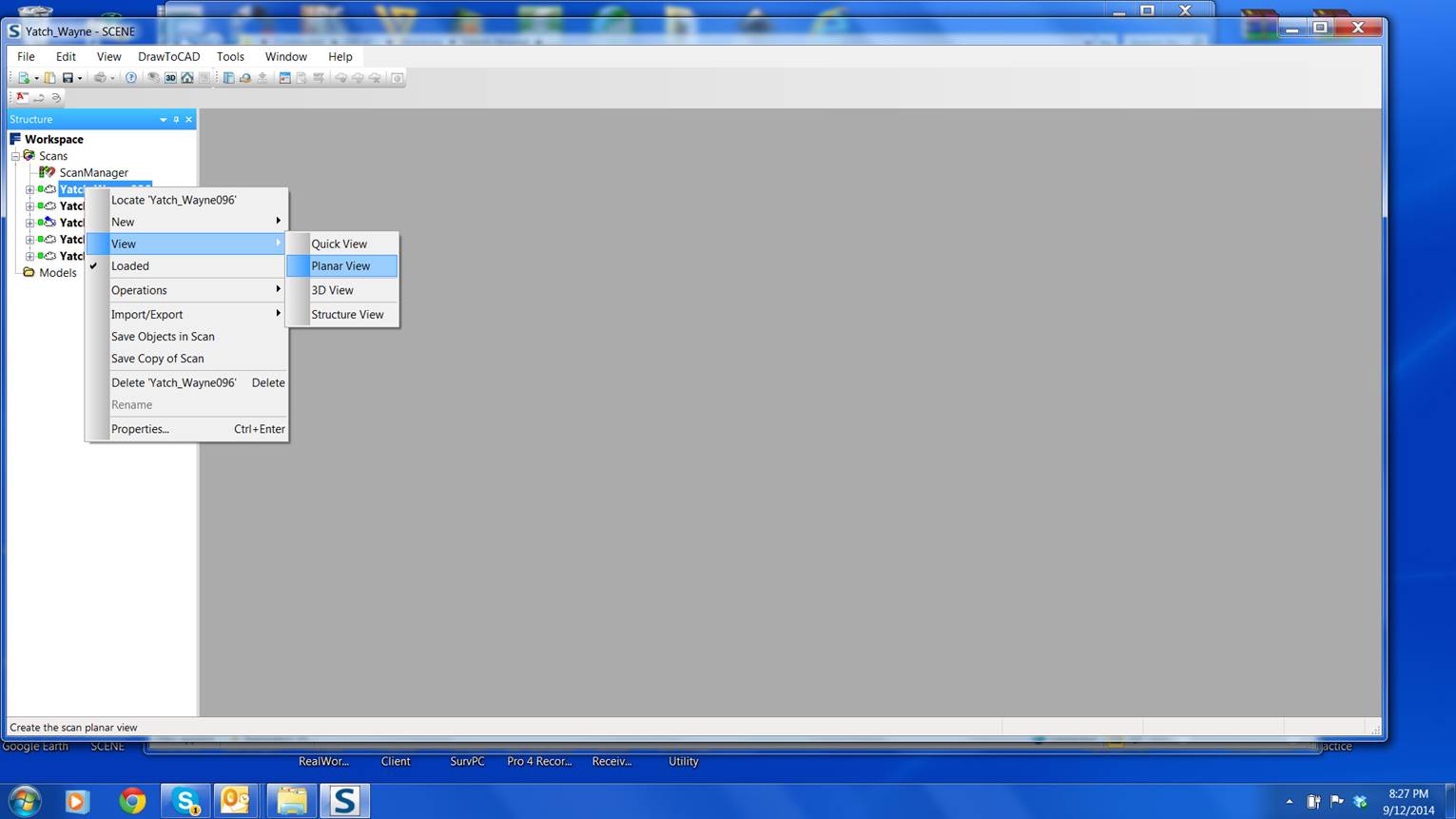
Step 2: Select the Scan Position

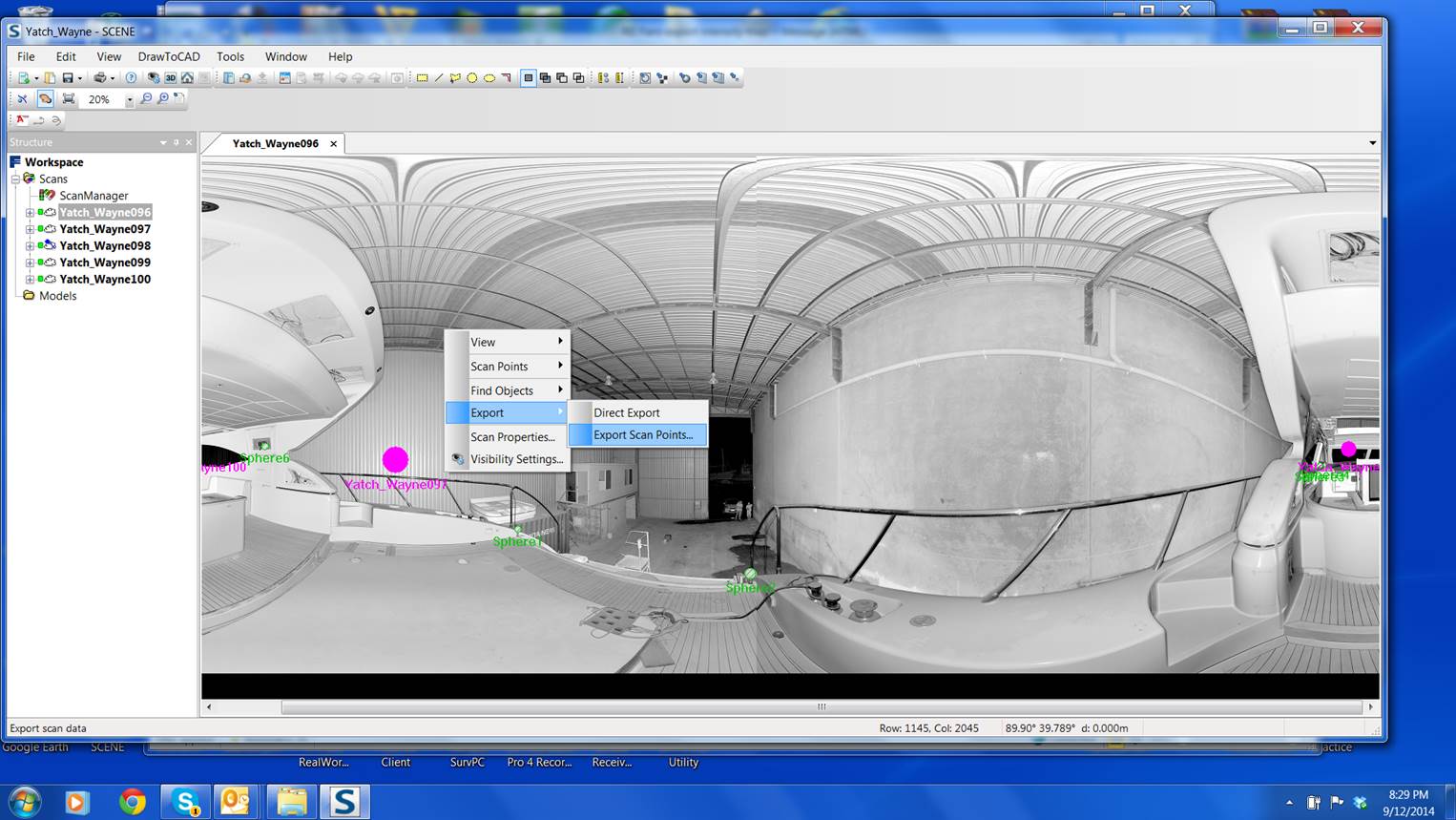
Step 3: Export Scan Points
Step 4: Check "Colour and Grey" then Export

Make sure you export the scan points, not the scan point cloud.